AED Sentinel Pelican Case Camera Installation Guide

How to install an AED Sentinel camera in an AED monitoring case
Overview

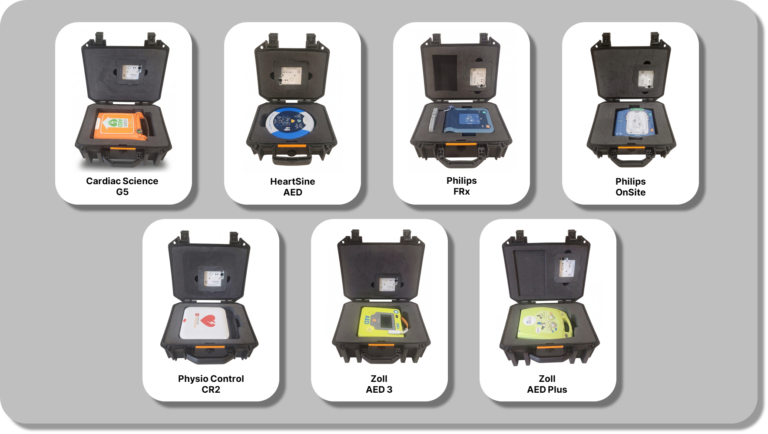
This guide shows how to install an AED Sentinel monitoring camera into an AED monitoring case. Case design, camera placement and camera orientation vary depending on your specific AED model.

The following video shows how the camera is installed. Step-by-step details are provided below.

Installation Steps

Step 1: Remove Insert and Place the AED

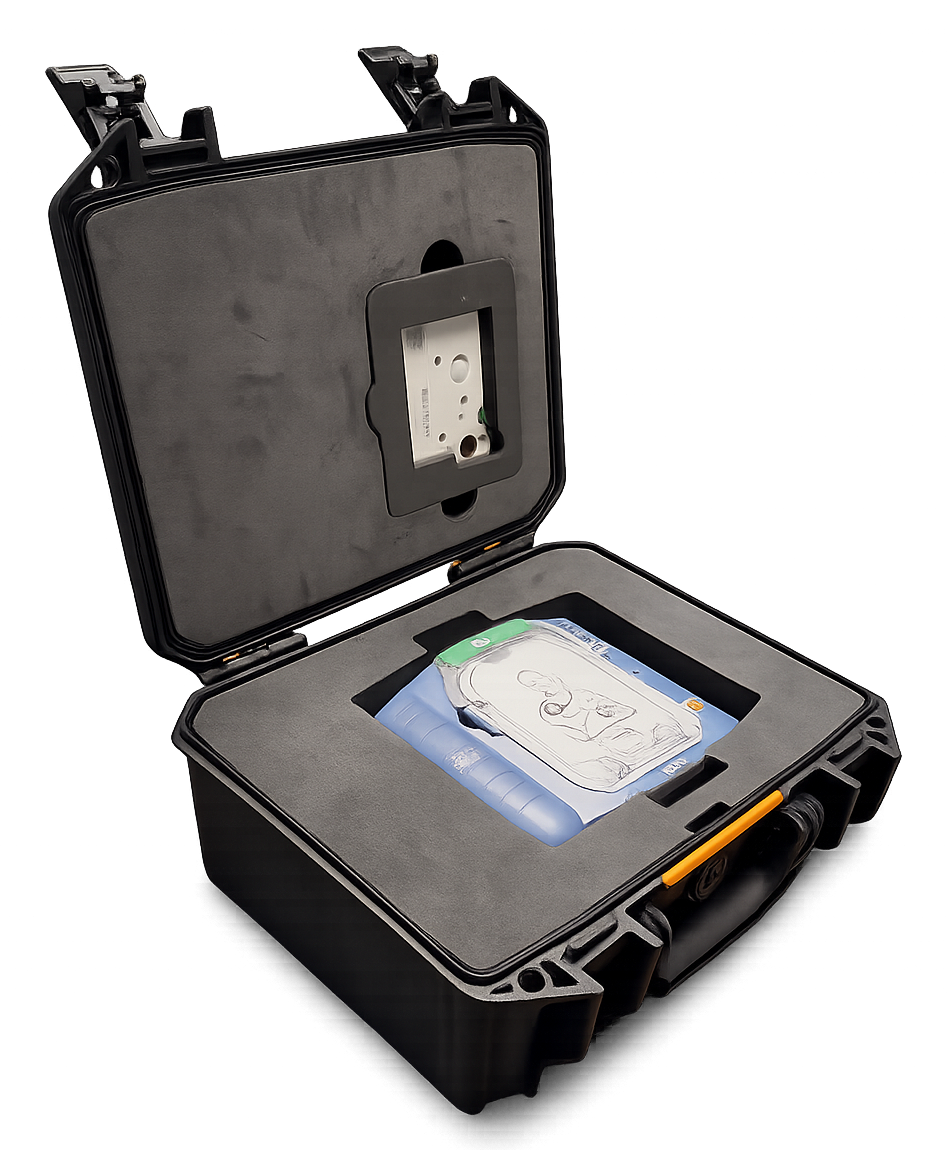
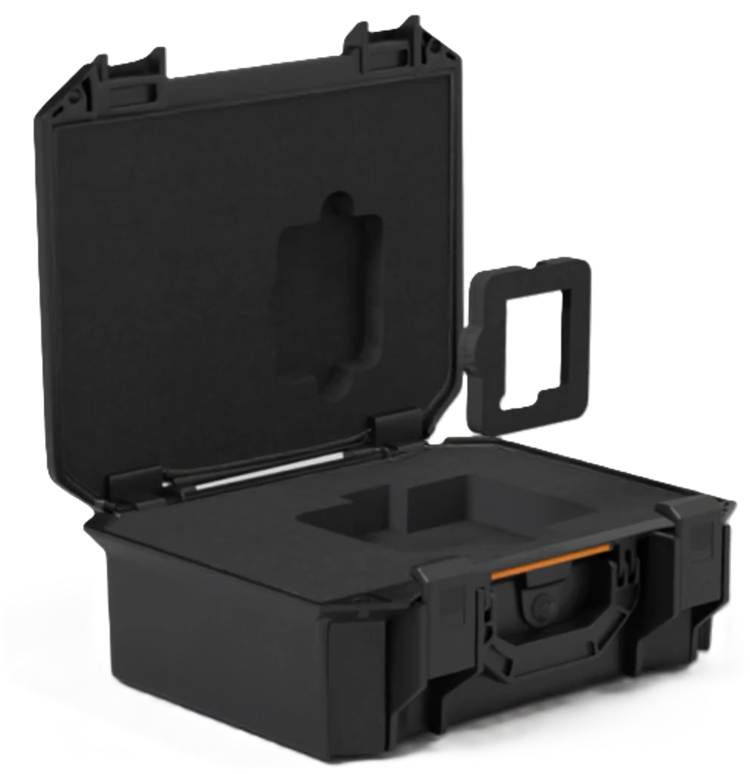
Open the case and remove the foam camera insert from the lid.
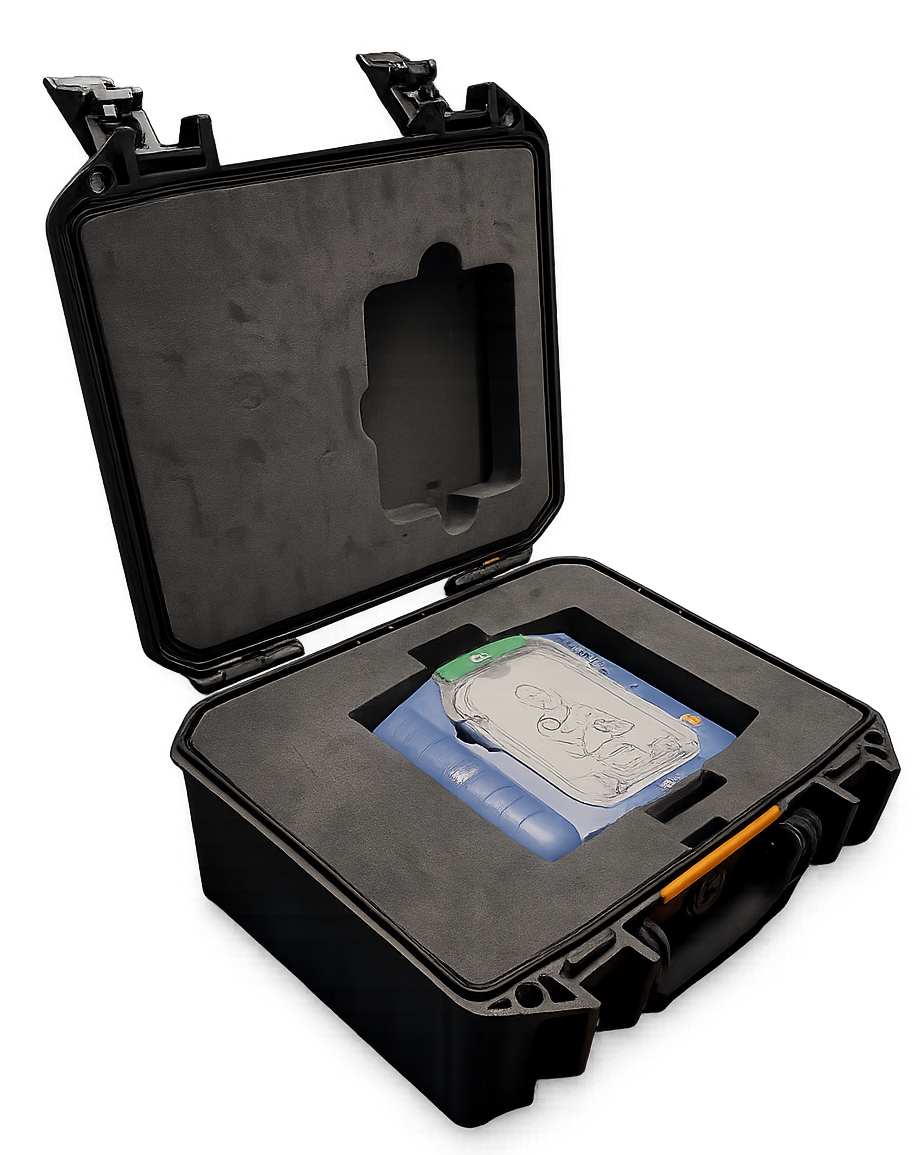
Install the AED in the foam base.
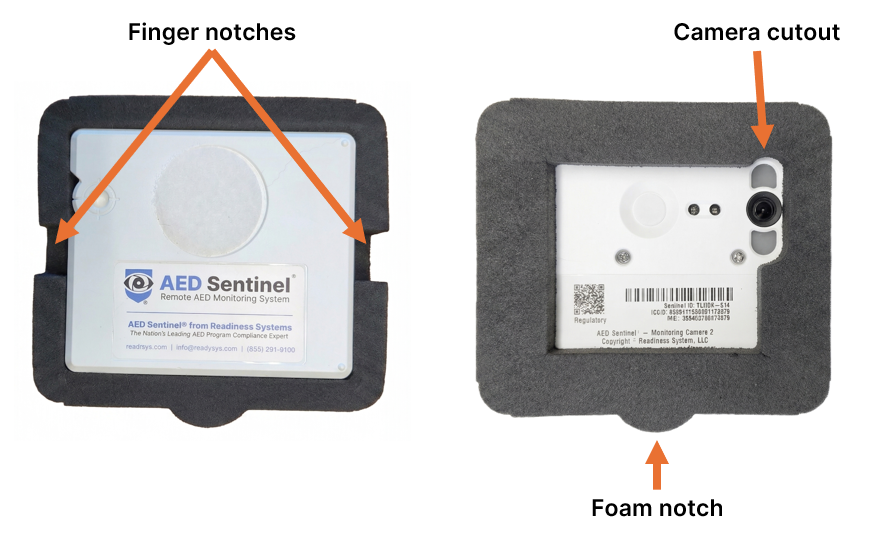
Step 2: Position the Camera in the Insert

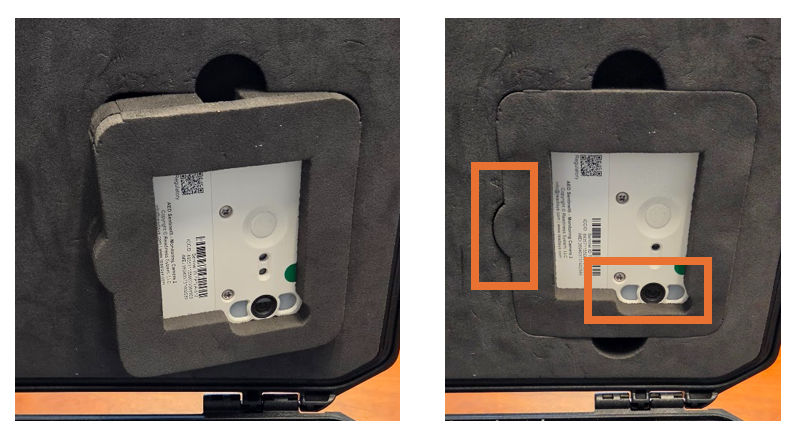
Place the AED Sentinel camera inside the recessed side of the foam insert. Ensure the camera lens is aligned and facing out through the designated camera cutout.
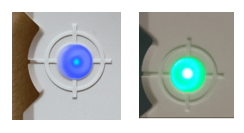
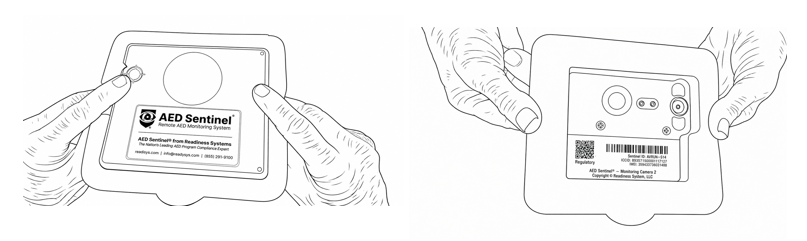
Step 3: Activate the Camera

Press and hold the Camera’s activation button until you see the LED status light turn solid blue (about 3 seconds). Release the button. The LED will then blink green during the activation process.

Step 4: Secure the Camera in Insert

Using the finger notches, hold the camera firmly within the insert as you prepare to reinstall the assembly into the lid.

Step 5: Install Insert into the Lid

Starting at an angle toward the straight edge of the insert, install the camera and the insert back into the lid. Align the foam notch with the corresponding notch slot in the lid foam. Confirm that the camera lens remains visible through the camera cutout. Verify the insert is flush with the lid foam surrounding it.

Close the case lid.

Get in Touch

Submit this form and we will be in touch shortly.

Or contact us by phone or email. 
(855) 291-9100 
[email protected]

This site is protected by reCAPTCHA and the Google Privacy Policy and Terms of Service apply.

AED Use Report

Please provide the following information to report an AED use. This report should only be submitted by Readiness Systems customers or partners that subscribe to our medical direction and use reporting services.

Please submit this form. We will contact you if we have questions or need further information.

This site is protected by reCAPTCHA and the Google Privacy Policy and Terms of Service apply.